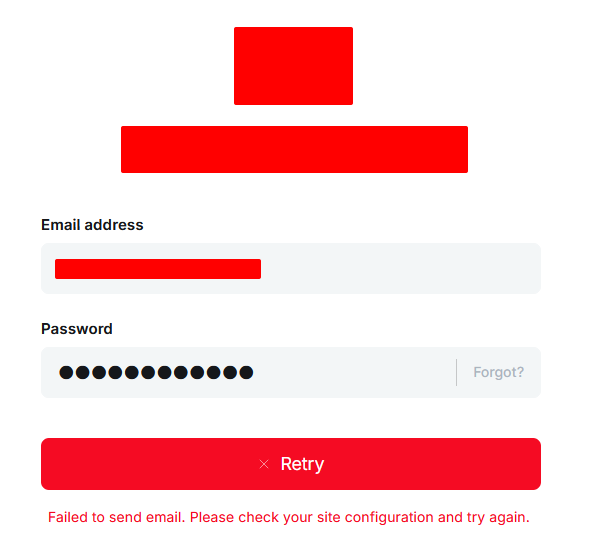
So I migrated our blog from 1 provider to a different provider. Setup & configured everything and working 100% but when I try to log into the admin side domain.com/ghost I get this error below :
Found this : "name":"EmailError","statusCode":500,"level":"normal","message":"Failed to send email. Please check your site configuration and try again.","help":"\"Please see https://ghost.org/docs/config/#mail for instructions on configuring email.\"","stack":"EmailError: Failed to send email. Please check your site configuration and try again.\n at Object.sendAuthCodeToUser (/var/www/sdfsdfsdfds-blog/versions/5.130.2/core/server/services/auth/session/session-service.js:284:19)\n at process.processTicksAndRejections (node:internal/process/task_queues:105:5)\n at async Object.createSession (/var/www/sdfdsfsdf-blog/versions/5.130.2/core/server/services/auth/session/middleware.js:16:17)","hideStack":false},"msg":"Failed to send email. Please check your site configuration and try again.","time":"2025-07-24T19:19:22.401Z","v":0}
I had a look at it earlier, we have a mailgun account and configured it but doesn’t look like its working, I’ve added the location, the domain and the api key :
Please check the link I sent. The settings in Ghost’s UI are not the configuration of your site.
The configuration is set either in a configuration.[environment].json, like a configuration.production.json, or by setting environment variables.
Your first screenshot regarding Mailgun only affects bulk emailing in Ghost (newsletters), not transactional emails.
The second screenshot is in regard to ALL staff logins. That is different than the device verification, which only asks for verification upon the first sign in from a new device. The latter can only be disabled through the configuration.
In the long-term, you should add the mail configuration. It is a requirement for production use cases of Ghost, and all future updates will therefore assume this is set up properly.
Disabling the device verification is patching the symptom, but not fixing the problem. This will pop up when you’d need to reset your password, a member wants to sign up for your newsletter, or you’d want to receive notifications for comments made on your blog.