I am very sorry for that super-stupid question. I am new to Ghost and struggling with something so easy that I presume, that I have a serious misunderstanding:
I create a page - done
I create a tag - done
I create a post and tag it - done
How to show the tagged post on the page I created?
Do I need to add some content field or so?
(Sorry again for so stupid question … and many thanks for answer…)
There’s actually a lot of ways to accomplish, but the simplest, out-of-the-box solution is to visit yoursite.com/tag/tag-slug. On that page, you’ll find all the posts with a particular tag. For example, if you tag a post “Getting Started,” then the post will show up on yoursite.com/tag/getting-started.
Andy – I understand it is basic. It seems you are still disoriented, can you describe your circumstances any more clearly? I understand how easily it can be confused…
thank you for asking again. The forum here is super, very appreciative.
As promised, here are the topics I am dealing with. Very briefly about the background: I am not a software developer, but quite tech-savvy. My wife wants to create a business blog & communication platform to earn money with it as well. It’s about the subject of business efficiency, but based on sustainable health. Because without mental and physical health no performance, neither in business nor in personal life. We like to support people in managing their health while they are very busy at work and at home.
Ghost is perfect for that and we have a lot of great ideas that we want to implement step by step.
So I installed Ghost on DigitalOcean and bought and installed a very appealing theme from our point of view.
It’s important for us to put our focus on the content and less on the technology itself, because that’s not one of our strengths. Now I had to learn that even Ghost is not completely without programming, as soon as you need something that is not included in the standard. I also had to learn that Ghost and the theme behave differently on different browsers.
Concrete subjects are:
If there are 500+ posts in the future, how to present them in an appealing way that they can be found easily and nicely? A pure link is certainly not the right thing to do.
After the SignIn, members should be able to mark posts for easier future retrieval.
The Burger menu works fine on iPhone under Chrome, but not under Safari. This seems to be a theme bug.
In the theme the Burger menu is only shown as a small window, how do you get it to be fullscreen?
We need German/English multilingual support with toggle button in the Menu (everything needs to be translated, so website and the posts).
We need support for LinkedIn and Instagram
Posts should be able to be exported as pdf or printed nicely.
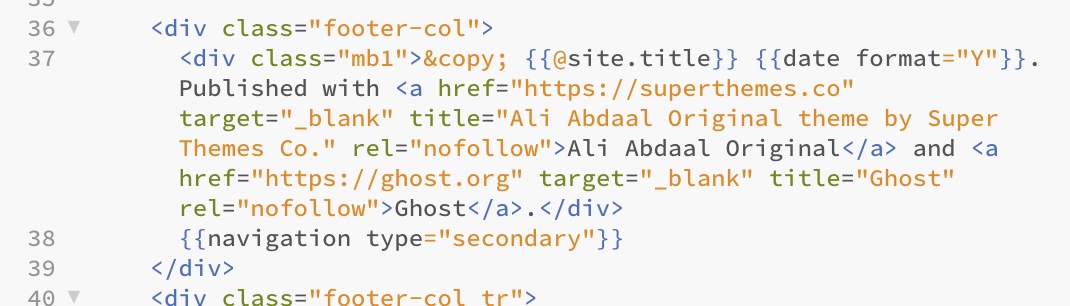
The footer of the theme needs to be changed. This can be done in the footer.hbs, but how? This will end up in a try&error game…
How to replace writing with icons at for example „Contact", „About", „SignIn".
On the pages I created, the titles are not displayed. I have not found the reason for this yet.
So far I can only display the posts on the page that can be found at RiseOfMind EN - Private Site Access. It is possible to display posts on other (nicely designed) pages also, but how do I do that?
The posts must look visually all the same, there you can create a template, but how does this work?
How to create Templates for the pages (as they should look all the same)
Then there is the question if it is not better to work with an external markdown editor instead of the internal one. To concentrate on writing and managing the information, a website doesn’t seem suitable to me.
Last, and this is not just a Ghost question, how to manage the information you create. There is software like Roam, Notion, Ulysses, etc. does that make sense?
Questions upon questions.
These are my actual current subjects
Maybe the best thing for me to do is to find someone to implement this for me, that we can quickly take care of developing the content
Especially the multilingualism is mentioned here in the forum several times as non-trivial.
In any case, I am very thankful for any advice that pushes me in the right direction.
Thank you very much, greetings from Germany and all the best for you
Andy
If there are problems with the theme that you purchased, I would reach out to the developer and ask them for support. For example, the hamburger menu button should work out of the box.
Since you have so many changes, I would also see if the developer could customize the theme for you, as much of what you want to do is web development work.
Will you share which theme you’re using?
In terms of composing posts, it depends on your workflow. I will often just pen everything right in the Ghost editor. It works really well and then I don’t have the pain of transferring content from one platform to another.
That being said, I also sometimes begin in Notion and copy things over. That goes well, too. It’s really just finding what works best for you.
As you mentioned, though, it’s really the content that should be the star. Ideally, you can just start publishing and let the theme worry about the concerns you listed. Regardless, Ghost has some great resources for content creators if you haven’t seen them: Ghost Resources — Stories & Ideas About Indie Publishing
I have the same question as you when using Ghost. It’s so weird that a Page doesn’t contain many posts (based on “categories”, Ghost described as “tag”). After I asked my friend, he helped me:
download the routes.yaml (inside Settings)
open it with any text editor, I used Notepad
under the word “routes:” type this or copy-paste and change it with yours pages/categories
routes:
/content-marketing/: —> my page slug, change it with yours
controller: channel
filter: tag:[content-marketing] ----> my category, change it with yours
It looks like your file isn’t formatted correctly. Since YAML (the file format) is white-space sensitive, be sure the spacing matches the examples exactly. Using a code editor like VS Code can help.
Hello Everybody!
I have the same problem
I’ve tried the suggestion here without success
Any other can help me how to populate different pages with different content?
I’ve already:
created pages
created tags
created posts + tagged them
but the content isn’t showing on those pages…!
Tagged posts should show up at /tag/tag-name without extra work. Routing can be used to make urls look nicer or to collect multiple tags together at the same URL.
I don’t understand from your post specifically where you’re stuck. If you can provide more details, or better yet, a link to the site where it isn’t working, we can try to troubleshoot it together!
Hey, thanks for the quick reply, I really appreciate it!
I created some posts and tagged them with different tags. Then I created some pages with the same tags, and I was expecting those posts to show up on the respective pages I tagged, but that’s not the case !
I don’t understand what I’m missing, it seems so clear and simple!
What i’m trying to accomplish is like this site: https://source.ghost.io/
once you click on a main topic on the menu it shows all posts tagged with that tag.
Ah. Pages don’t work that way (unless you’re using a theme that makes them work that way).
Are you using source as your theme? All you need to do is tag your posts (NOT with a # at the start of the name), and then go to /ghost > settings (the gear icon) > navigation, and add a link to any tag that you’d like to have show up in the menu.
 … and many thanks for answer…)
 .
.