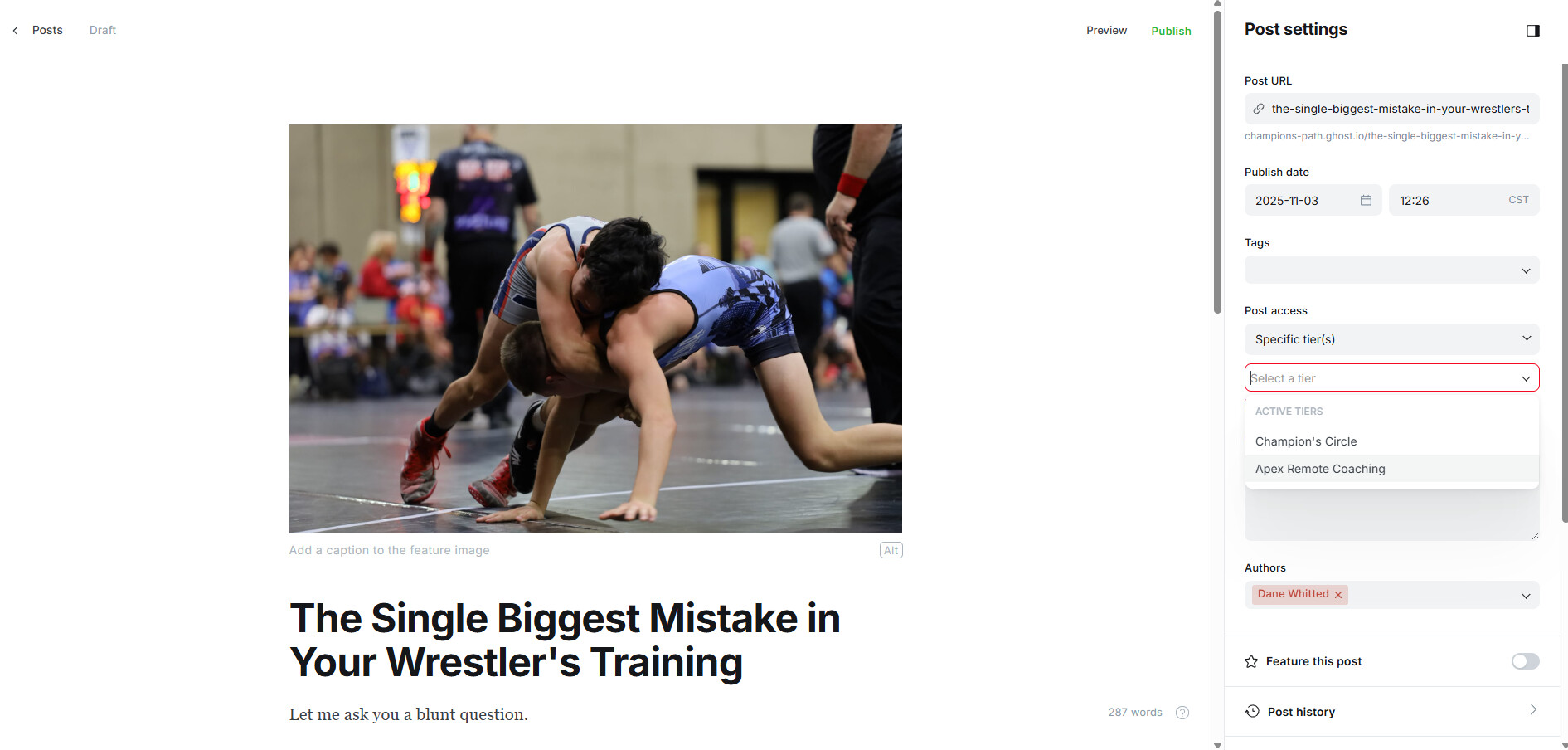
After writing the post, I try to select the my free member tier, which I believe should be under Post Settings > Post Access > Specific Tier(s). It is not there. My two paid tiers are available to select, but the free tier is not listed at all. I double checked to see if it is available in the SIgn Up Portal, which it is. You can see in the screen shot the two tiers I can select, and the free tier is missing. I am using the theme solo (v1.0.0).
Issue Summary
- Explain roughly what’s wrong
- What did you expect to happen?
Steps to Reproduce
- This is the first step…
- This is the second step, etc.
Setup information
Ghost Version
Share which version of Ghost you’re using.
Node.js Version
If self-hosting - share which version of Node.js you’re using.
How did you install Ghost?
Provide some details about your install of Ghost if you are self-hosting.
Provide details of your host & operating system
Include further details about your hosting and OS.
Database type
MySQL 5.7 / MySQL 8 / SQLite 3 / Other
Browser & OS version
Include if reporting frontend bugs.
Relevant log / error output
Copy and paste any relevant log output. Use backticks to format this into code.
