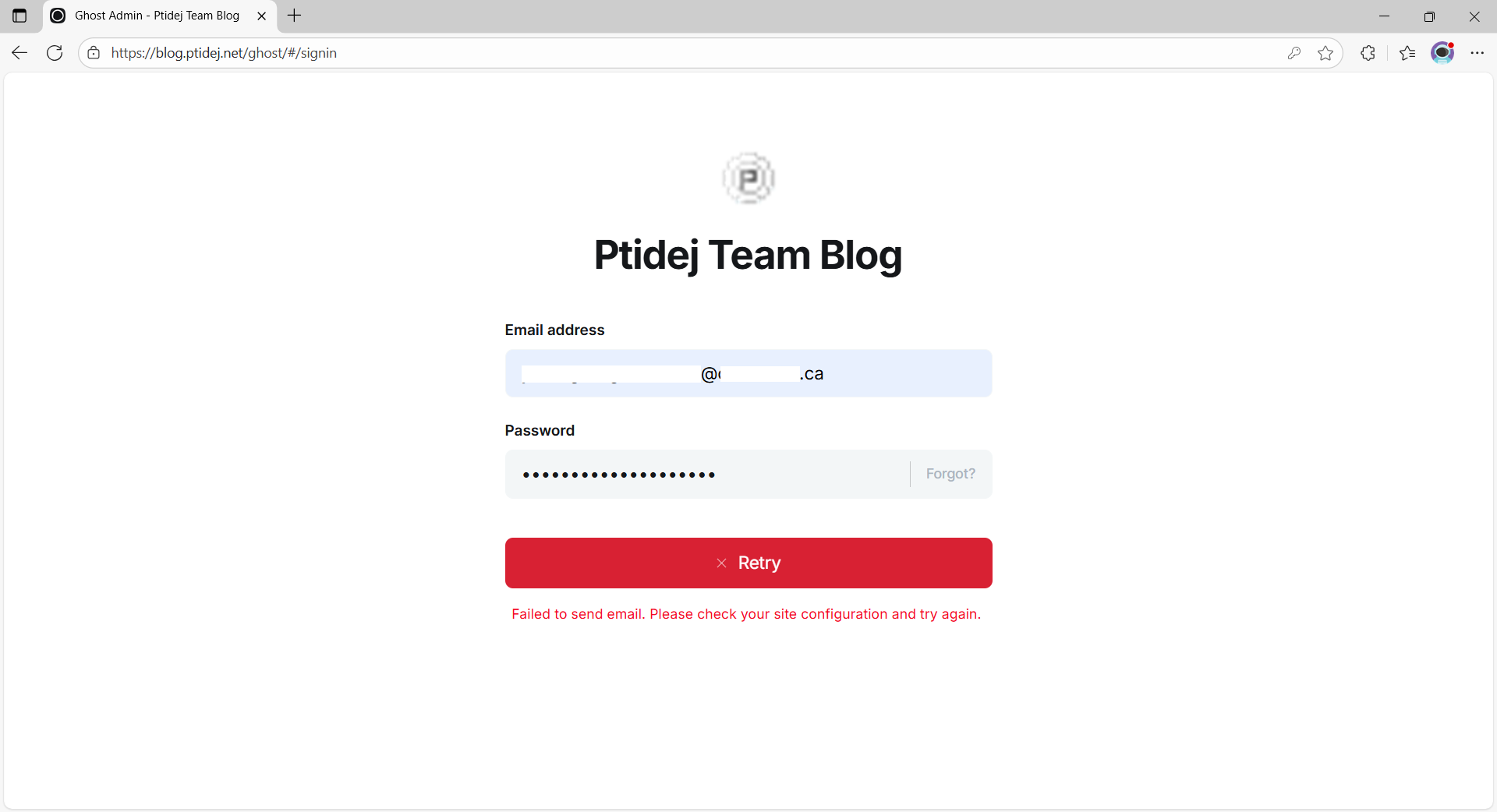
I have installed a self-hosted instance of Ghost, running at blog.ptidej.net. I had an old version (v4.48.9) running on Ubuntu v18.04 and moved its data to a new version (v6.6.0) running on Ubuntu v24.04. The migration went well except for sending e-mails. I used to use Gmail and copied/pasted the e-mail config. into the new instance as follows:
However, my instance still can’t send e-mails. Doing ghost log shows:
[2025-11-04 14:11:32] ERROR "POST /ghost/api/admin/session" 500 457ms

NAME: EmailError
CODE: ESOCKET
MESSAGE: Failed to send email. Please check your site configuration and try again.

level: normal

"Please see https://ghost.org/docs/config/#mail for instructions on configuring email."
EmailError: Failed to send email. Please check your site configuration and try again.
    at Object.sendAuthCodeToUser (/var/www/blog/versions/6.6.0/core/server/services/auth/session/session-service.js:284:19)
    at process.processTicksAndRejections (node:internal/process/task_queues:105:5)
    at async Object.createSession (/var/www/blog/versions/6.6.0/core/server/services/auth/session/middleware.js:16:17)
I don’t know why /ghost/api/admin/session wouldn’t be available and how to fix it.
To get yourself logged in (quick fix, not long term solution), set staffDeviceVerification to false and restart Ghost.
There’s nothing wrong with your endpoint itself - the log right below shows that it can’t send email, which is why it’s throwing the 500 error.
Actual fix:
You need to get your transactional email sorted out, both so that you can have staff logins with device verification, and so that you can send magic link emails to your members.
Thoughts:
Some hosts block 587 and most/all SMTP ports. If you’re on Digital Ocean, this is 100% your problem, and it may be your problem on other hosts. (You might have to ask them.) Consider switching to the Mailgun API for transactional email. Here’s how:
I think you don’t want that service line. Here’s an example I used to use, before switching to the API approach:
Consider the possibility that you’re feeding Gmail the wrong password. It wants an app password, not your regular password. You may need to generate one.
I actually filled a ticket with DigitalOcean and they told me that my Droplet is not blocked because I already had one before they changed their policy.
I also temporarily disabled ufw. I’m sure that I’m using the right app. password from GMail. Still, Ghost couldn’t send an e-mail.
Is there other things that I could try? More log/verbosity?
Thanks, but I have another error now with ghost run -D:
The `ghost run` command is used by the configured Ghost process manager and for debugging. If you're not running this to debug something, you should run `ghost start` instead.
+ sudo node current/index.js
[2025-11-04 22:30:17] INFO Ghost is running in development...
[2025-11-04 22:30:17] INFO Listening on: 127.0.0.1:2368
[2025-11-04 22:30:17] INFO Url configured as: http://localhost:2368/
[2025-11-04 22:30:17] INFO Ctrl+C to shut down
[2025-11-04 22:30:17] INFO Ghost server started in 0.377s
[2025-11-04 22:30:17] ERROR SQLITE_CANTOPEN: unable to open database file

SQLITE_CANTOPEN: unable to open database file

"Unknown database error"

Error ID:
    500

Error Code:
    SQLITE_CANTOPEN

----------------------------------------

Error: SQLITE_CANTOPEN: unable to open database file
    at /var/www/blog/versions/6.6.0/node_modules/knex-migrator/lib/database.js:57:19

[2025-11-04 22:30:17] WARN Ghost is shutting down
[2025-11-04 22:30:17] WARN Ghost has shut down
[2025-11-04 22:30:17] WARN Ghost was running for a few seconds
I searched on the Internet but couldn’t find a solution to this error either
In the meantime, I also tried, from my server, to connect manually to smtp.google.com using openssl s_client -connect smtp.gmail.com:465 -crlf and send a few emails, and I could send/receive these emails succesfully.
Thanks, but (IIUC) SWAKS helps with debugging SMTP: I already know that I can send emails manually. It’s Ghost that doesn’t succeed in sending emails, even though (AFAIK) I used the exact same configuration for manual sending and for Ghost.
The MX records for your domain ptidej.net aren’t pointed to Google Workplace. Is your from email address blog@ptidej.net even hosted on Google? If not, trying to send through Google’s SMTP server doesn’t seem like it would work.
Thanks for your reply, but my problem is not with Google SMTP server. As I wrote, from my server on DigitalOcean, I can send e-mails through smtp.google.com just fine, manually. It’s Ghost, running on the same server, that can’t, and I’m trying to solve that problem.
Are there ways to debug what Ghost tries to do when sending an e-mail?
Just wanted to thank you all for your help, it works now: after DigitalOcean did reset the network interface of my Droplet and I rebooted it, Ghost can now successfully send (transactional) e-mails .